QwikTwikQwikTwikLog In
QwikTwikQwikTwik
  • Download
  • Reviews
  • Pro
  • Docs
  • Affiliate
Log InBuy Now
  • Download
  • Reviews
  • Pro
  • Docs
Log InView Pro Plans

More

AffiliateFree VersionChangelog
  • Home
  • How It Works
  • How To Optimize Windows for Gaming
  • How to Reduce Input Lag on PC
  • How to Lower Ping in Games
  • How to Fix Stuttering in Games
  • Pricing
  • Reviews
  • Free Version
  • Affiliate Program
  • What’s New
  • Terms of Service
  • Privacy Policy
  • Refund Policy
QwikTwikQwikTwik

PC tweaks and Windows optimization for competitive gamers who want a faster-feeling system with less background noise.

Product
DownloadProHow to useReviews
Resources
What’s NewAffiliateFree tweaks
Legal
Privacy PolicyRefund PolicyTerms of Service
© 2026 QwikTwik Performance Solutions. All rights reserved.
[email protected]

Windows PC tweaksfor gaming.Less bloat. Less lag.

QwikTwik cleans up background bloat, keeps the game first, and makes your Windows PC feel snappier.

Learn QwikTwik Tweaks
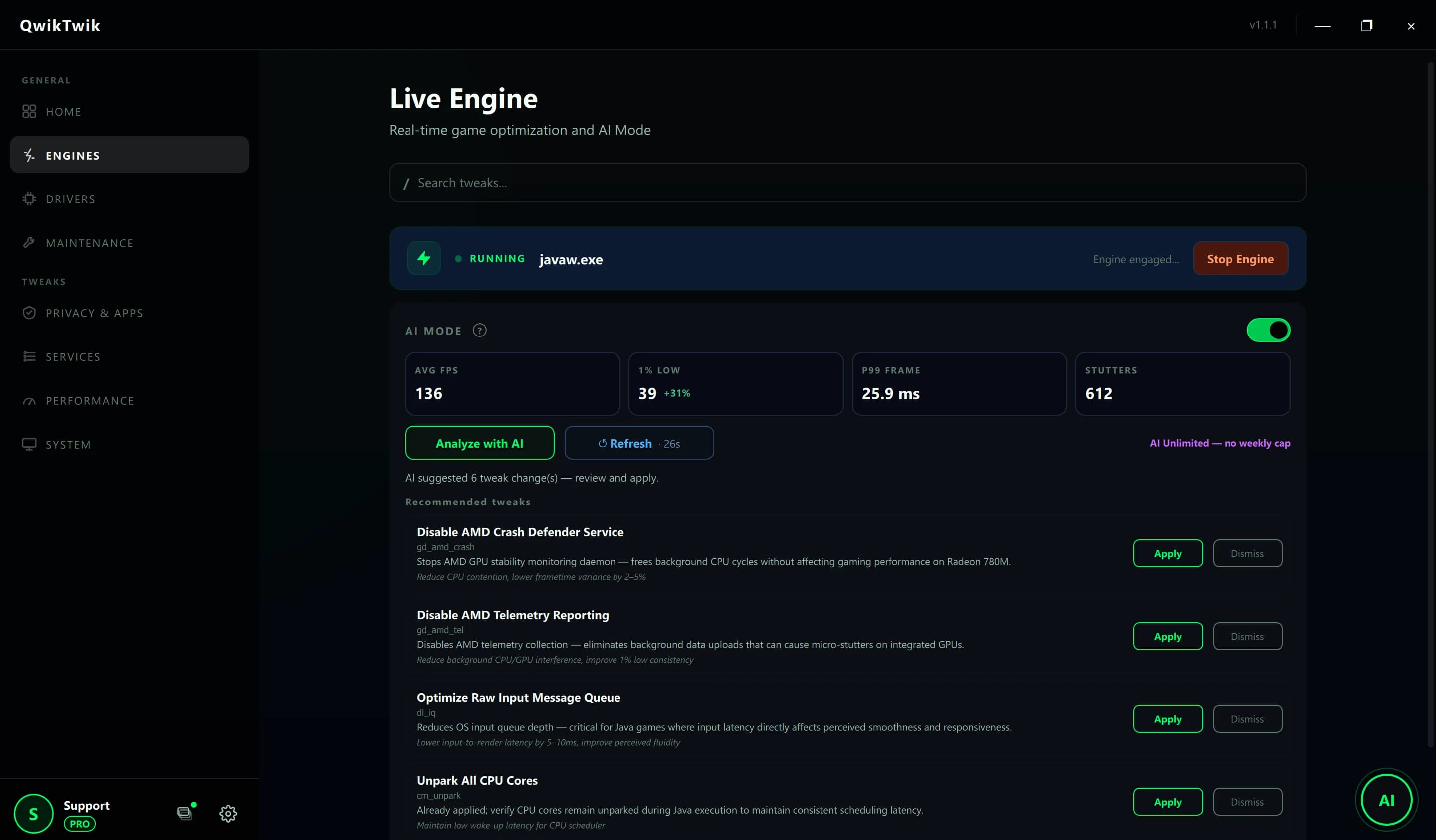
QwikTwik Live Engine tab with AI Mode active, showing real-time CPU, FPS, and latency metrics on Windows 11
QwikTwik desktop app — Live Engine with AI Mode
See Qwiktwik in Action⌄

Pick a profile and go.

Choose Free for a medium boost or Pro for maximum boost, then run the optimization demo.

Task Manager - Processes
Process name
Status
CPU
RAM
Disk
Network
FORTNITE-Win64-Shipping.exe
High
39.8%
3370 MB
2.8 MB/s
0.70 Mbps
Desktop Window Manager
Running
2.4%
168 MB
0.1 MB/s
0.00 Mbps
Antimalware Service Executable
High
6.1%
226 MB
6.9 MB/s
0.00 Mbps
QwikTwik.exe
Running
0.2%
56 MB
0.0 MB/s
0.02 Mbps
⊞
Search
FORTNITE
QwikTwikQwikTwik
22:41

Less bloat. More game.

Small Windows tweaks that help your PC stay out of the way.

See how it works

Background noise down

Before
After
11 ms
2 ms

Smoother frame time

Jitter 7.1 msJitter 1.9 ms
Before
After

Simple tweaks for a cleaner Windows PC

QwikTwik keeps the wording simple: clean the PC, cut the noise, and make gaming feel smoother.

Less background bloat

Turn down the stuff that does not need to run while you play.

Game-first priority

Give the game more room and keep other apps out of the way.

Faster-feeling PC

Apply small Windows tweaks that make the system feel lighter.

Cleaner sessions

Keep notifications and random popups from stealing focus.

Simple network tuning

Trim a bit of noise so online play stays steadier.

Quick setup

Pick a profile, click apply, and get back to the game.

Frequently Asked Questions

Will this mess with anti-cheat?
No. QwikTwik is a Windows tweaks app. It does not inject into games or touch game files.
Do I need to reboot?
Usually no. You can apply a profile and keep going.
What does it actually change?
Mostly simple Windows stuff: background apps, priority, and a few system tweaks.
Is it safe to use?
Yes, it is meant for normal Windows PCs and everyday gaming setups.
Will it fix ping?
It can help a bit, but it is not magic. The main goal is to keep Windows out of the way.
What kind of bloat does it clean up?
Stuff like extra Windows apps, background sync, and other junk you do not need while gaming.
Does it work on Windows 11?
Yes. QwikTwik works on Windows 10 and Windows 11.

What people say.

Short feedback from people using the app on Windows.

"It made the PC feel less busy while I was gaming. Simple and easy to use."

A
Alex "Viper" M.
Pro Member

"I just wanted fewer background apps getting in the way. This did the job."

S
Sarah T.
Free User

"Cleaner Windows setup, less noise, and it did not take much effort."

D
David K.
Pro Member

"The app feels straightforward. Open it, apply the tweak, play."

M
Markus
Pro Member