QwikTwik
  • Download
  • Reviews
  • Pro
  • How It Works
  • Affiliate
Log InBuy Now
QwikTwik
Knowledge BaseChangelogPrivacy PolicyTerms of ServiceDiscord CommunityContact Support
© 2026 QwikTwik Performance Solutions. All rights reserved.
All Systems Operational
⚡ Trusted by 100,000+ Gamers & Streamers

Maximize FPS. Minimize Input Lag.
Zero Reboots.

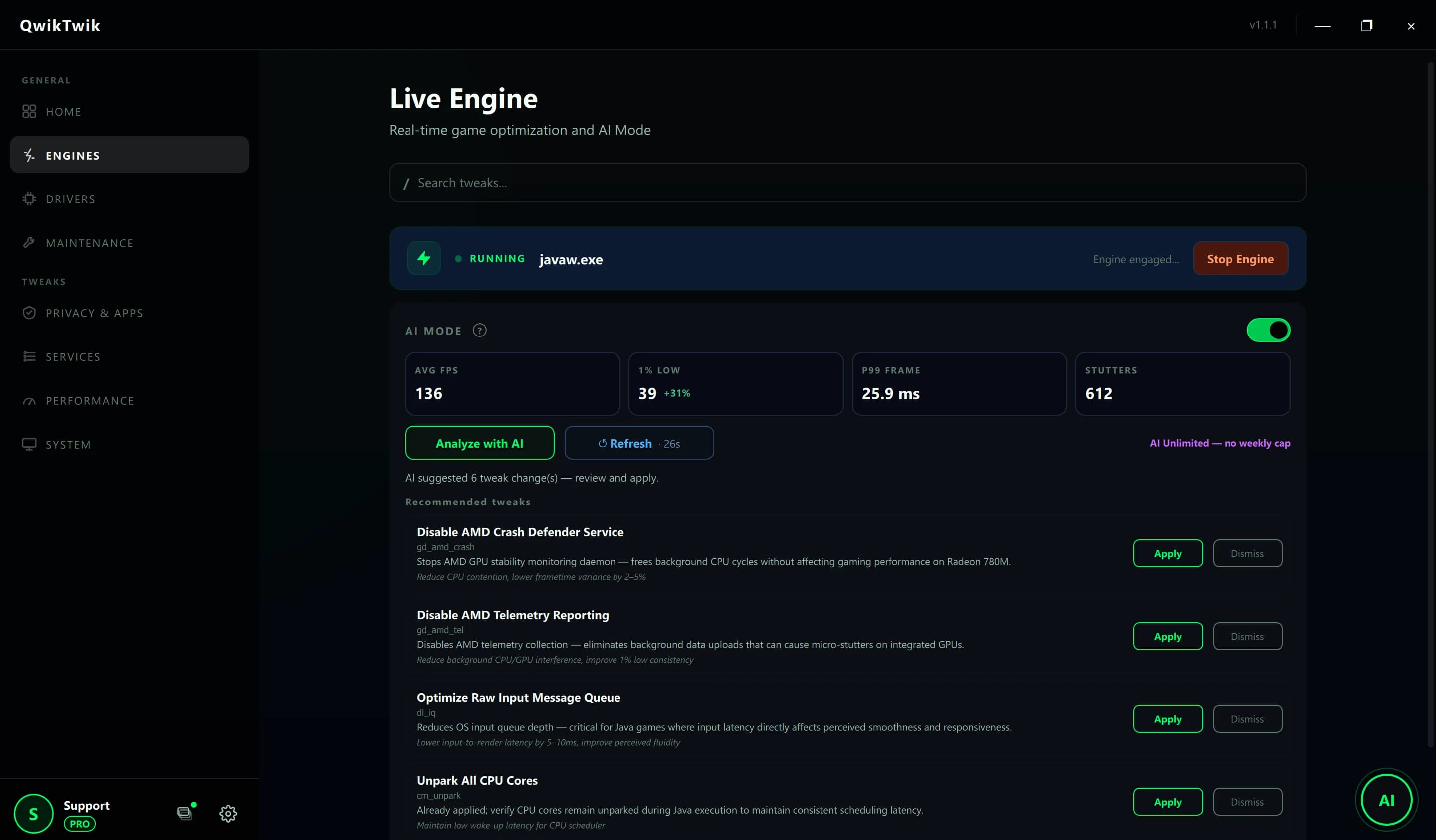
The ultimate PC boost utility for competitive gaming. QwikTwik optimizes your Windows registry, reduces ping, and unlocks maximum hardware performance in real-time.

Download Free

Stop letting background apps ruin your aim.

In-Game FPS

112

System Latency

48ms

Background Threads

28
QwikTwik Process Monitor
Name
Status
CPU
Memory
cs2.exe
Struggling
42.5%
2,100 MB
QwikTwik.exe
Running
0.1%
45 MB

Adapt on the fly.

Three distinct profiles. Zero system restarts required.

Gaming Mode

Esports ready. Suspends background processes, unparks CPU cores, disables Windows telemetry, and ensures 0% stuttering.

Live Telemetry

CPU TargetMax Boost
Core ParkingDisabled
System LatencyUltra Low
TelemetryBlocked
Proprietary Engine

75+ Deep System Tweaks.

We don't just clean your registry. QwikTwik deploys classified algorithms to manipulate kernel-level steering and force absolute hardware compliance.

Explore the Science Behind QwikTwik
-2.4GB
Idle RAM Usage

Zero-Trace Debloat

Microsoft hides dozens of tracking tasks. We surgically remove bloatware and telemetry using our proprietary script engine.

100%
CPU Game Focus

Kernel-Level Priorities

Bypass Windows' default scheduler. We force custom resource policy sets to eliminate background interruptions.

+28%
1% Low FPS Boost

GPU Pipeline Unchained

Standard Windows drivers hold your GPU back. We force strict rendering registry parameters for buttery-smooth frametimes.

0.0ms
Power Throttling

Hardware State Override

Unlock experimental hardware potential. We force PCI/PCIe devices into fully active states and disable polling delays.

< 1ms
Click-to-Photon

Raw Input Synchronization

Achieve true 1:1 tracking. By optimizing message signal interrupts, your clicks register on the screen instantly.

3x
Faster Asset Loading

Memory I/O Overdrive

Stop disk bottlenecks in open-world games. We lock memory pages and flush standby cache loops efficiently.

Loved by the community.

Join thousands of gamers who have already unlocked their system's true potential.

"QwikTwik literally fixed my micro-stutters in CS2. The real-time switching is magic. I don't even have to think about it anymore."

A
Alex "Viper" M.
Pro Member

"I stream Warzone and used to drop frames heavily. The Streaming Mode somehow balanced my CPU perfectly. Highly recommended!"

S
Sarah T.
Free User

"The bloatware removal alone is worth installing this. My idle RAM usage dropped from 4GB to 1.8GB instantly."

D
David K.
Pro Member

"Ping dropped by 15ms on European servers. The Network Adapter Tuner is actually doing something under the hood."

M
Markus
Pro Member

"QwikTwik literally fixed my micro-stutters in CS2. The real-time switching is magic. I don't even have to think about it anymore."

A
Alex "Viper" M.
Pro Member

"I stream Warzone and used to drop frames heavily. The Streaming Mode somehow balanced my CPU perfectly. Highly recommended!"

S
Sarah T.
Free User

"The bloatware removal alone is worth installing this. My idle RAM usage dropped from 4GB to 1.8GB instantly."

D
David K.
Pro Member

"Ping dropped by 15ms on European servers. The Network Adapter Tuner is actually doing something under the hood."

M
Markus
Pro Member
System Ready

Ready to dominate the leaderboard?
Stop playing with lag.

Join 100,000+ gamers and streamers who have already unlocked their PC's true potential. Takes exactly 1 click.

Download QwikTwik Now

Frequently Asked Questions

Will this trigger Anti-Cheats (VAC, Vanguard)?
Absolutely not. QwikTwik is 100% safe and operates on a system level (registry, services, and power plans). It does not inject code into games or modify game files, making it completely invisible to all anti-cheat engines including Vanguard, BattlEye, and Easy Anti-Cheat.
Do I need to reboot my PC after switching modes?
No. Our proprietary engine applies registry and service state changes in real-time. You can switch from Balanced to Gaming mode while sitting in a game lobby, and the changes take effect instantly.
How does it actually reduce input lag?
We apply precise adjustments to the system Timer Resolution and disable USB interrupt moderation and coalescing to ensure your mouse and keyboard clicks register with zero artificial delay.
What hardware-level optimizations are included?
QwikTwik forces your GPU into its highest power state (P0 and D0) to prevent performance drops. We also optimize MSI (Message Signal Interrupts) and Interrupt Steering to balance the workload across your CPU cores more efficiently.
Can it really improve my network ping?
Yes. By optimizing Quality of Service (QoS) priorities and stabilizing network adapter settings to reduce bufferbloat, we ensure your game packets are prioritized over background Windows traffic.
What kind of 'bloatware' does it remove?
We surgically disable resource-heavy features like Microsoft Copilot, Xbox Apps, and MS Store background syncs. Our 'Debloat' protocol also clears SRUM data and useless system tracking tasks that cause micro-stutters.
Does it work on Windows 11?
Yes! QwikTwik is fully optimized for Windows 10 (20H2+) and Windows 11. We continuously update our profiles to match the latest Windows kernel changes and security updates.